Best Audio Gear for Music Production: Headphones, Monitors, Interfaces, and Atmos Setups
The best audio gear for music production is the setup that matches the job. Recording vocals, editing stems, mixing a song, mastering a release, and building a Dolby Atmos version all need different monitoring decisions.
Better headphones or speakers will not repair hearing loss, but they can make production choices easier to trust. If your hearing test showed weak high-frequency detail, a clearer monitoring setup can help you hear hiss, harshness, clicks, vocal edits, and stereo placement more consistently.
This music production gear guide compares the most useful monitoring setups. Each section explains when to use the setup, what technical criteria matter, and one strong recommendation to buy.
If you are preparing a release, pair the gear decision with the right workflow: restore weak sources first, use AI mastering for final loudness and translation, and use the upscale to Atmos guide when you want to turn a stereo track into an immersive mix.
Some links in this guide are affiliate links. They do not change the recommendation logic: the table is organized by production job, technical constraints, and what a beginner or small studio is likely to notice in daily use.
| Product | Setup | Best for | Main limitation | Recommended model |
|---|---|---|---|---|
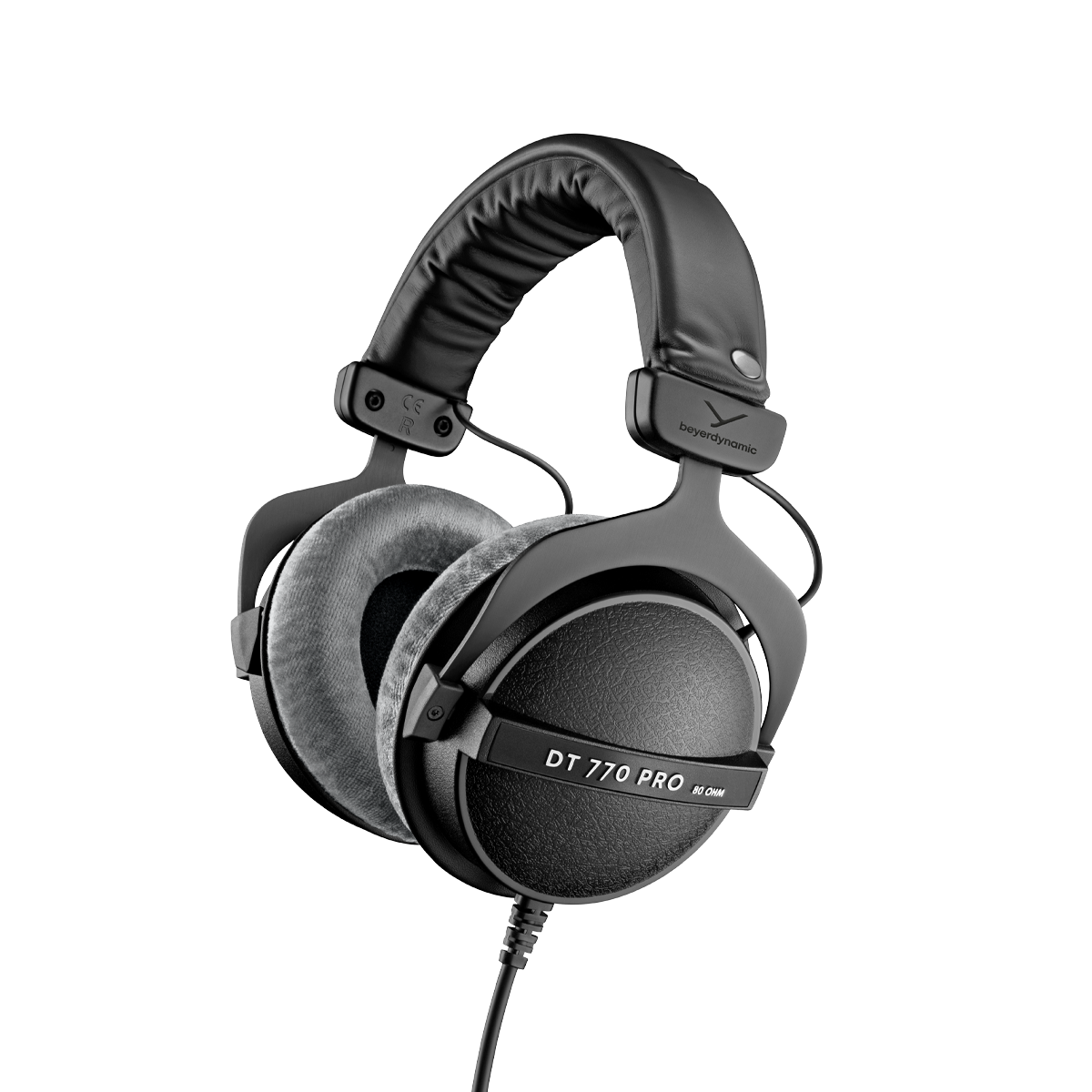 | Closed-back headphones | Recording, editing, untreated rooms | Narrower stereo image | Beyerdynamic DT 770 Pro 80 Ohm |
 | Open-back headphones | Mixing, balance, stereo image | Leaks sound, needs quiet room | Sennheiser HD 660S2 |
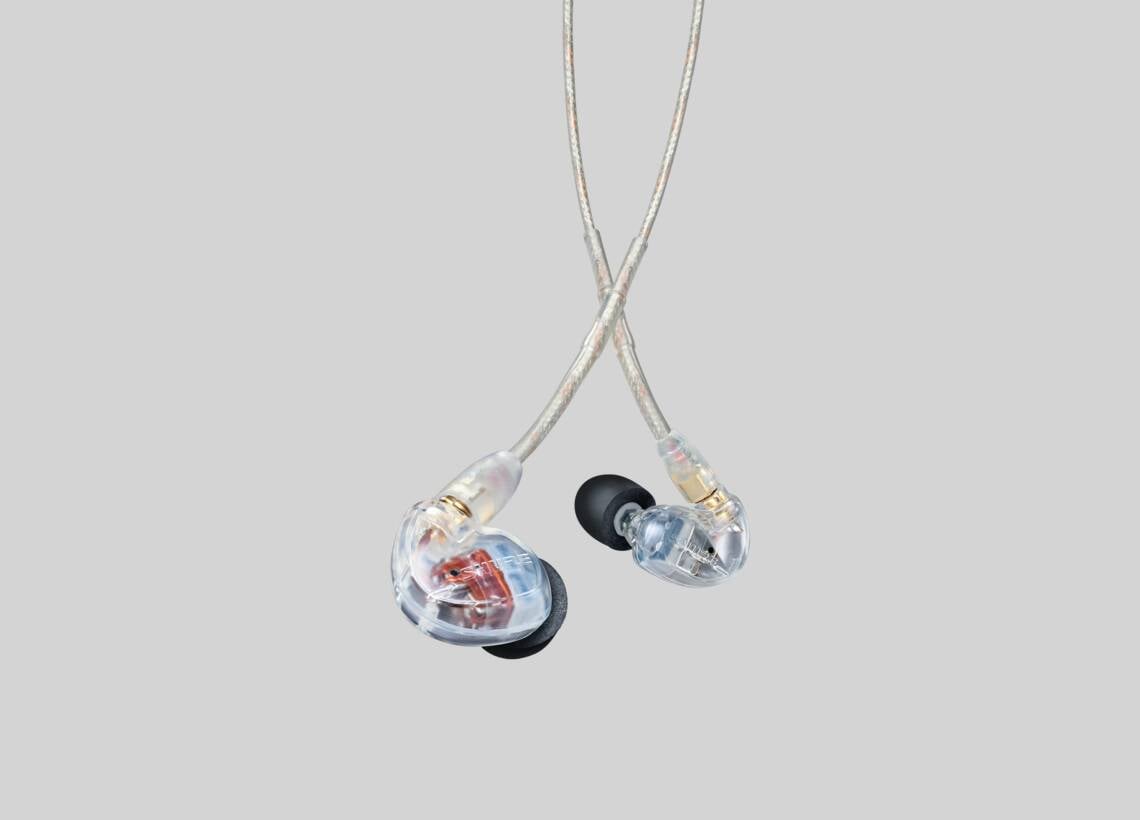 | In-ear monitors | Travel, isolation, detail checks | Fit changes the bass response | Shure SE535 |
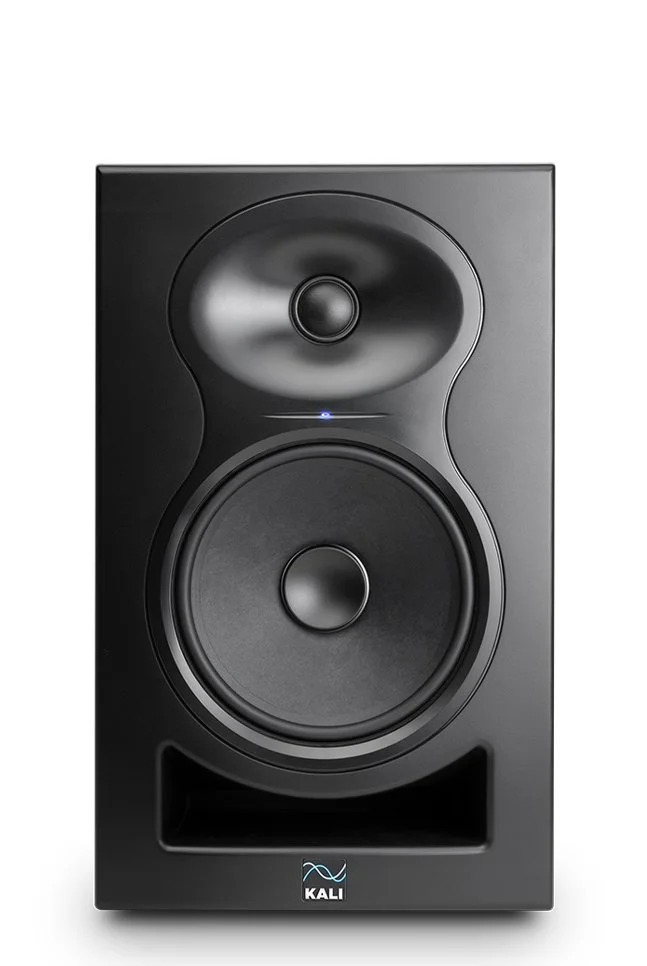 | Nearfield monitors | Home studio mixing | Room affects the sound | Kali Audio LP-6 V2 |
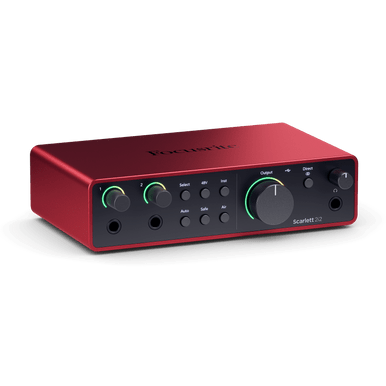 | Audio interface | Recording and monitor outputs | Depends on driver stability | Focusrite Scarlett 2i2 |
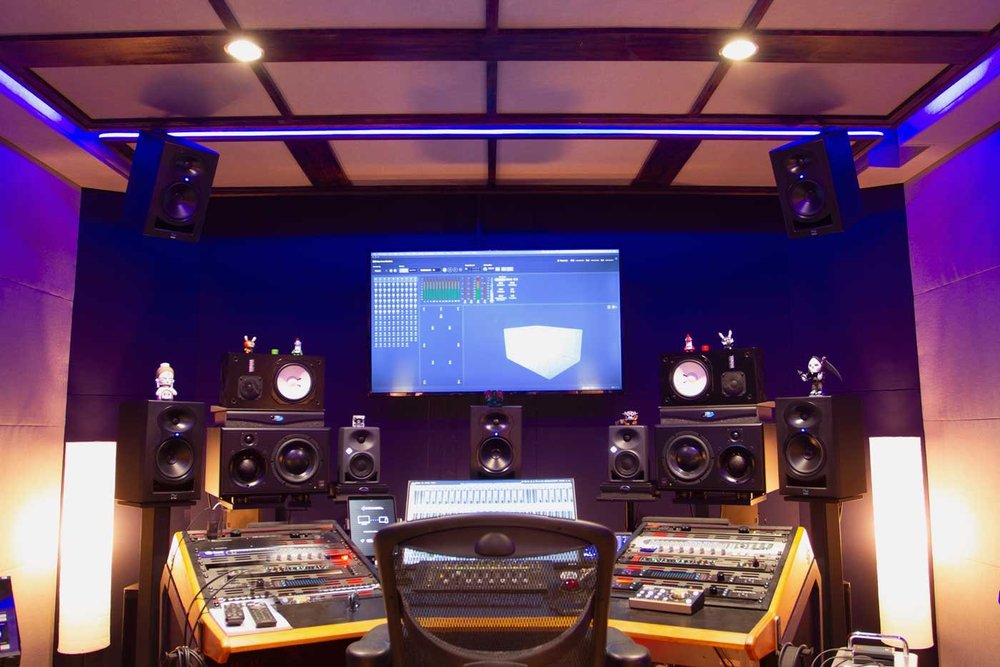 | Dolby Atmos setup | Immersive music production | Requires room planning | 7.1.4 matched monitor setup |
1. Closed-Back Headphones for Recording and Everyday Production
Closed-back headphones are the safest first purchase for recording music at home. They isolate sound better than open-back headphones, so the headphone mix is less likely to bleed into a vocal microphone, guitar microphone, or room recording.
Closed-back headphones are useful when your room is not treated. They help you edit vocals, check noise reduction, find clicks, and work in apartments or shared spaces where studio monitors are not practical.
The main tradeoff is that closed headphones can exaggerate bass and narrow the stereo image. Use them for tracking, editing, restoration checks, and rough production decisions, then confirm final mix balance on open-back headphones or speakers.
Recommendation: Beyerdynamic DT 770 Pro 80 Ohm
The Beyerdynamic DT 770 Pro 80 Ohm is a reliable first serious studio headphone. It is closed-back, comfortable for long sessions, easy to drive from most audio interfaces, and detailed enough to catch clicks, distortion, hiss, and vocal edit problems.
Beyerdynamic DT 770 Pro 80 Ohm. Source image: beyerdynamic product image; product page: beyerdynamic DT 770 PRO.
| Technical criteria | What to look for | DT 770 Pro 80 Ohm fit |
|---|---|---|
| Design | Closed-back over-ear | Yes |
| Impedance | 32-80 ohm for most interfaces | 80 ohm |
| Frequency response | Wide enough for bass and detail checks | 5 Hz-35 kHz |
| Best use | Tracking, editing, restoration checks | Strong fit |
| Watch out for | Bass and stereo width translation | Check final mix elsewhere |
2. Open-Back Headphones for Mixing
Open-back headphones are better for mixing than recording. They leak sound in both directions, so they are not right near a microphone, but they usually make panning, reverb tails, vocal placement, and harshness easier to judge.
Open-back headphones work best in a quiet room. They are especially useful when your room is too small or untreated for studio monitors to be trustworthy, because the headphone sound is less affected by walls and corners.
The main tradeoff is that open-back headphones need a quiet space and sometimes a stronger headphone amp. Higher-impedance models can sound quiet or weak from a laptop, phone, or underpowered interface.
Recommendation: Sennheiser HD 660S2
The Sennheiser HD 660S2 is the open-back recommendation for serious mixing checks. It gives a detailed, natural presentation with better sub-bass extension than older 600-series references, while still keeping the midrange clear for vocals, guitars, keys, and balance decisions.
Sennheiser HD 660S2. Source image: Sennheiser product image; product page: Sennheiser HD 660S2.
| Technical criteria | What to look for | HD 660S2 fit |
|---|---|---|
| Design | Open-back over-ear | Yes |
| Impedance | Plan for an interface or amp above 150 ohm | 300 ohm |
| Frequency response | Extended lows and highs for detail checks | 8 Hz-41.5 kHz |
| Sensitivity | Loud enough with proper amplification | 104 dB SPL |
| Best use | Mixing, mastering checks, stereo image | Strong fit |
| Watch out for | Sound leakage and amp requirements | Needs quiet room and good output |
3. In-Ear Monitors for Portable Production and Detail Checks
In-ear monitors are useful when you need isolation in a small setup. They help with vocal editing, pitch cleanup, noise reduction, detail checks while traveling, and performer monitoring on stage.
IEMs are not the best single reference for final mix approval. Their sound depends heavily on ear tips and seal, so a weak seal can make bass disappear while a deep seal can make bass feel larger than expected.
Recommendation: Shure SE535
The Shure SE535 is a strong in-ear monitor for portable production work. It gives useful isolation, replaceable cables, and enough detail for editing, vocal checks, and compact monitoring away from the studio.
Shure SE535. Source image: Shure product image; product page: Shure SE535.
| Technical criteria | What to look for | Shure SE535 fit |
|---|---|---|
| Design | In-ear monitor with strong isolation | Yes |
| Cable | Replaceable cable preferred | Yes |
| Frequency range | Wide enough for portable detail checks | 18 Hz-19 kHz |
| Best use | Portable editing, stage monitoring, vocal checks | Strong fit |
| Fit requirement | Good ear-tip seal | Required |
| Watch out for | Bass changes with seal | Check low end elsewhere |
4. Nearfield Studio Monitors for a Home Studio
Nearfield studio monitors are the best way to hear how music behaves in a room. They reveal bass buildup, vocal level, stereo width, and whether a mix works without the artificial intimacy of headphones.
The room matters as much as the speakers. Put the monitors at ear height, form an equilateral triangle with your listening position, keep them away from corners when possible, and add basic absorption before making aggressive low-end decisions.
Recommendation: Kali Audio LP-6 V2
The Kali Audio LP-6 V2 is a practical home-studio monitor for producers. It offers strong value, useful boundary EQ controls, and enough low-end extension for production decisions in a small room.
Kali Audio LP-6 V2. Source image: Kali Audio product image; product page: Kali Audio LP Series.
| Technical criteria | What to look for | LP-6 V2 fit |
|---|---|---|
| Speaker type | Active nearfield monitor | Yes |
| Room controls | Boundary EQ or placement switches | Yes |
| Frequency response | Full-range enough for small-room decisions | 39 Hz-25 kHz (-10 dB) |
| Frequency range | Honest mix range | 47 Hz-21 kHz (+/-3 dB) |
| Best use | Home studio production and mixing | Strong fit |
| Placement | Ear-height equilateral triangle | Required |
| Watch out for | Room modes below 200 Hz | Treat room and reference check |
5. Interface and Headphone Amp Setup
An audio interface connects your studio headphones, microphones, and monitors to your computer. It also gives you cleaner inputs, balanced monitor outputs, lower-latency recording, and a dedicated headphone output.
A headphone amp matters when you use high-impedance headphones. Models around 250 ohm or 300 ohm, including the Sennheiser HD 660S2, usually benefit from a proper interface or headphone amplifier instead of a weak laptop output.
Recommendation: Focusrite Scarlett 2i2
The Focusrite Scarlett 2i2 is a straightforward interface for small music production setups. It works well for singer-producers, beatmakers, guitarists, and home studios that need two inputs, monitor outputs, and a dedicated headphone output.
Focusrite Scarlett 2i2 4th Gen. Source image: Focusrite product image; product page: Focusrite Scarlett 2i2.
| Technical criteria | What to look for | Scarlett 2i2 fit |
|---|---|---|
| Inputs | At least two combo inputs | Yes |
| Outputs | Balanced monitor outputs | Yes |
| Conversion | 24-bit / 192 kHz | Yes |
| Mic input response | Clean capture across the audible band | 20 Hz-20 kHz (+/-0.06 dB) |
| Line output response | Flat monitor output | 20 Hz-20 kHz (+/-0.02 dB) |
| Headphone output | Enough level for many studio headphones | 20 Hz-20 kHz (+/-0.1 dB) |
| Driver support | Stable low-latency drivers | Strong fit |
| Best use | Vocals, guitar, production desk | Strong fit |
6. Dolby Atmos Music Setup
Dolby Atmos music production needs a different monitoring plan than stereo mixing. Stereo tells you left and right, while Atmos adds height speakers, surrounds, objects, beds, binaural translation, and speaker layout rules.
A 7.1.4 room is the common serious target for Atmos music work. That means seven ear-level speakers, one subwoofer, and four height speakers, with each speaker placed and calibrated around the listening position.
Recommendation: Build a 7.1.4 room around Kali Audio LP-6 V2 monitors
A matched monitor system is more important than buying random expensive speakers. A practical starting point is Kali Audio LP-6 V2 monitors for the main speaker array, a matching subwoofer, and a Dolby-compatible renderer workflow in your DAW.
Kali Audio immersive monitoring setup. Source image: Kali Audio Atmos setup image; product page: Kali Audio LP Series.
| Atmos requirement | What it means |
|---|---|
| 7 ear-level speakers | Left, center, right, side surrounds, rear surrounds |
| 1 subwoofer | Low-frequency extension and bass management |
| 4 height speakers | Overhead or height layer for Atmos objects |
| Matched monitors | Similar tone and level around the room |
| Calibration | Speaker level, delay, bass management, and listening position |
| DAW workflow | Dolby-compatible renderer or Atmos export path |
Read Dolby's official setup guidance before placing speakers. The Dolby Atmos speaker setup guide explains what the layout numbers mean and how speaker placement should be planned.
Which Music Production Gear Should You Buy First?
The best first purchase depends on the weakest part of your current setup. Buy for the job you do every week, then add a second reference when your mixes need better translation.
- Recording vocals or instruments: buy the Beyerdynamic DT 770 Pro.
- Mixing in a quiet room: buy the Sennheiser HD 660S2.
- Producing while traveling: buy the Shure SE535.
- Mixing in a treated room: buy a pair of Kali Audio LP-6 V2 monitors.
- Building an immersive workflow: plan the Atmos room first, then buy matched speakers.
No single monitoring setup tells the whole truth. The strongest workflow is to learn one reliable reference deeply, then check important mixes on at least one other system before release.