R
R.
5 out of 5 stars
Audio restoration and stem separation
It can bring back clarity without making everything sound too artificial or overprocessed. Stem separation is also surprisingly clean.
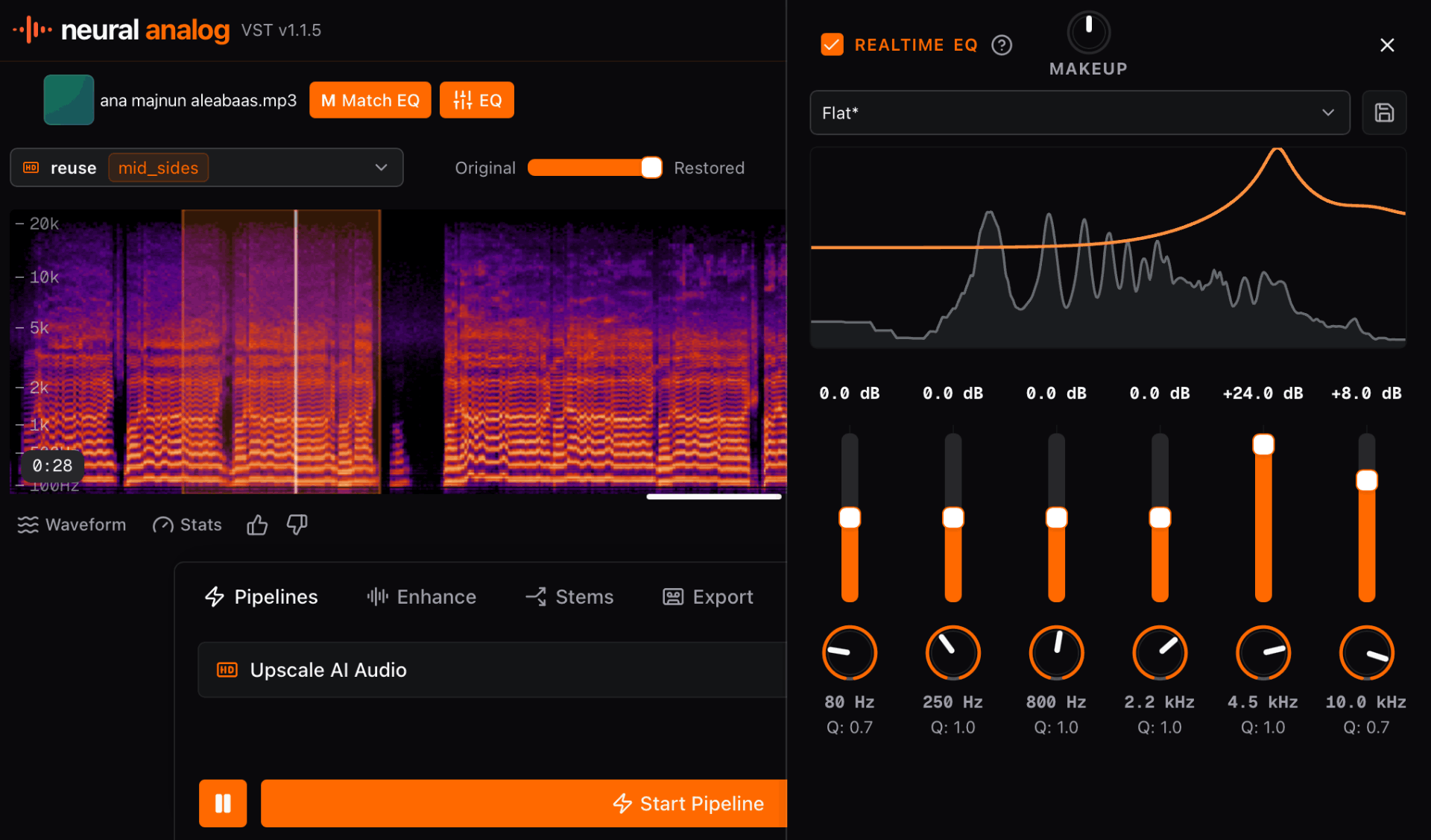
Install Neural Analog for your DAW and start processing audio locally from the plugin.

Turn your music into streaming-ready WAV in one click. Import tracks in bulk, improve audio quality, split stems, and auto-master to commercial loudness.

Neural Analog is a sound design platform that transforms how producers sample, shape, and finish audio. It brings advanced GPU-accelerated stem splitting, audio upscaling, and Match EQ directly into your DAW. Use it to turn artifact-heavy AI generations, low-quality internet rips, or voice memos into workable material for your productions.
Neural Analog pushes the limits of audio processing so you can focus entirely on the creative process. Available for Windows, macOS, and Linux.
Neural Analog bridges the gap between raw inspiration and final release, giving producers an entirely new way to interact with sound. Stop letting poor audio quality dictate your creative choices. Improve your audio quality and level up your productions, the easy way.
R.
Audio restoration and stem separation
It can bring back clarity without making everything sound too artificial or overprocessed. Stem separation is also surprisingly clean.
N.
MP3 and CD audio restoration
Does amazing job in restoring Audio from bad quality MP3s and badly extracted audio from CDs. Always my go to for audio restoration.
Amazing tool for audio. Clean, simple, and effective. I would spend hours in RX to get the same results. Give it a try. I can save you hours of production time.
M.
Restoration and mastering
The flash upscaler mixed with the composite mix system makes it super easy to get closer to a song master that I'm happy with
I've been loving the app. The audio restoration works amazing on my suno songs
IMDK
I love the interface. I love the bulk upload/download features. They're a life saver! Also I just realized that Apollo is magic and I don't even need to use denoise. Apollo somehow removes noise much more naturally. So I'm actually spending way less credits than I expected.
Eve St. Jude
Production workflow
Neural Analog has been a godsend to me and my workflow, such a game changer. I'm more thankful than words can express, I don't know what I would have done without it.
Eve
amazing!!!! love this! THANK YOU! I just discovered batch dl, this feature SAVED ME
Wow thank you so much i upscale videos and take out live recordings from music because of my autism i hate the crowd
R.
Audio restoration and stem separation
It can bring back clarity without making everything sound too artificial or overprocessed. Stem separation is also surprisingly clean.
N.
MP3 and CD audio restoration
Does amazing job in restoring Audio from bad quality MP3s and badly extracted audio from CDs. Always my go to for audio restoration.
Amazing tool for audio. Clean, simple, and effective. I would spend hours in RX to get the same results. Give it a try. I can save you hours of production time.
M.
Restoration and mastering
The flash upscaler mixed with the composite mix system makes it super easy to get closer to a song master that I'm happy with
I've been loving the app. The audio restoration works amazing on my suno songs
IMDK
I love the interface. I love the bulk upload/download features. They're a life saver! Also I just realized that Apollo is magic and I don't even need to use denoise. Apollo somehow removes noise much more naturally. So I'm actually spending way less credits than I expected.
Eve St. Jude
Production workflow
Neural Analog has been a godsend to me and my workflow, such a game changer. I'm more thankful than words can express, I don't know what I would have done without it.
Eve
amazing!!!! love this! THANK YOU! I just discovered batch dl, this feature SAVED ME
Wow thank you so much i upscale videos and take out live recordings from music because of my autism i hate the crowd
It worked! Well done :) Many thanks :))))
Bjark
Easy to use and high quality results.


AI audio enhanced with Neural Analog
These generations were shared by Neural Analog users
No. Neural Analog VST does not run its AI models on your computer, so you do not need a GPU. The plug-in is a web view and needs an internet connection. Its large AI models run in the cloud, where they can process audio faster.
Your computer is only used for file conversion and some audio effects. You can get the plug-in from the Neural Analog VST download page.
Yes. You can download and install Neural Analog VST for free. The Free plan lets you import your own audio, preview every model on a sample, and includes 6 minutes of demo GPU processing each month. Each demo can process up to 30 seconds of your audio.
Every plan can run every model. The input-duration limit is 30 seconds on Free, 30 minutes on Hobby, 30 minutes on Pro, and 2 hours on Max.
Paid plans include longer jobs, more processing minutes, batch tools, privacy controls, and long-term storage. They also help pay for GPU audio models, file storage, downloads, and background jobs. Compare the options on the Neural Analog pricing page.
Download the complete macOS package if you want the standalone app plus every macOS plug-in format in one zip.
Use VST3 with DAWs that load VST3 plug-ins, such as Ableton Live, Cubase, Nuendo, Studio One, REAPER, Bitwig Studio, FL Studio, and Waveform.
Download the macOS VST3 zip, unzip it, copy Neural Analog.vst3 to ~/Library/Audio/Plug-Ins/VST3 for your user account, or /Library/Audio/Plug-Ins/VST3 for all users. Restart your DAW and rescan plug-ins if needed.
Use AU if you use GarageBand, Logic Pro, MainStage, or another macOS Audio Unit host.
Download the macOS AU zip, unzip it, copy Neural Analog.component to ~/Library/Audio/Plug-Ins/Components for your user account, or /Library/Audio/Plug-Ins/Components for all users. Restart your DAW and rescan plug-ins if needed.
Use the standalone app if you want Neural Analog outside a DAW. Download the standalone macOS zip, unzip it, and move Neural Analog.app to Applications.
macOS Gatekeeper will show a security alert the first time you open this alpha build, or the first time your DAW scans one of the plug-ins. After the alert appears, open System Settings, go to Privacy & Security, scroll to Security, and click Allow Anyway or Open Anyway for Neural Analog.
For the standalone app, open Neural Analog.app again. For VST3 or AU, restart your DAW or plug-in host and rescan plug-ins if needed. Apple documents this flow in Safely open apps on your Mac.
Download the complete Windows package if you want the standalone app plus every Windows plug-in format in one zip.
Use the standalone app if you want Neural Analog outside a DAW. Download the standalone Windows zip, unzip it, then run Neural Analog.exe from the extracted folder.
Use VST3 with DAWs that load VST3 plug-ins, such as Ableton Live, Cubase, Nuendo, Studio One, REAPER, Bitwig Studio, FL Studio, and Waveform.
Note: In some DAW (like FL Studio) the .m4a default format is not supported. Click on the "gear" icon next to the Export button and select "FLAC" or "MP3" as the default streaming format.
Download the Windows VST3 zip, unzip it, copy Neural Analog.vst3 to C:\Program Files\Common Files\VST3, then restart your DAW and rescan plug-ins if needed.
Download the complete Linux package if you want the standalone app plus every Linux plug-in format in one zip.
Use the standalone app if you want Neural Analog outside a DAW. Download the standalone Linux zip, unzip it, then run the Neural Analog binary from the extracted folder. If your desktop environment says the file is not executable, run chmod +x "Neural Analog" on the extracted binary.
Use VST3 with Linux DAWs that load VST3 plug-ins, such as REAPER, Bitwig Studio, Ardour, and Waveform.
Download the Linux VST3 zip, unzip it, copy Neural Analog.vst3 to ~/.vst3 for your user account, or /usr/lib/vst3 for a system install. Restart your DAW and rescan plug-ins if needed.
Download the plugin, install it once, and keep audio restoration, stem splitting, Match EQ, and mastering inside your production pipeline.


