R
R.
5 out of 5 stars
Audio restoration and stem separation
It can bring back clarity without making everything sound too artificial or overprocessed. Stem separation is also surprisingly clean.
Download Suno songs with available cover art, artist names, and song titles embedded in the MP3 file.
Back up your music now so you can listen, edit, and build on the tracks you own even if platform access changes.
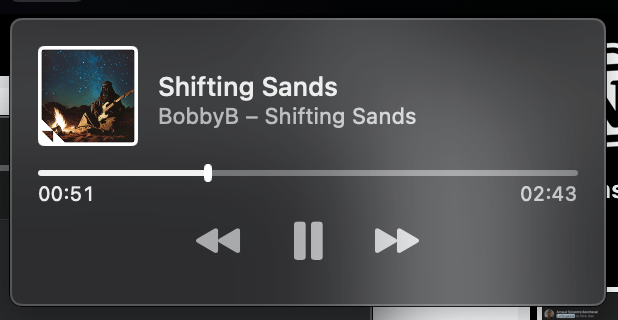
Suno's public playback audio can arrive as compressed M4A files. Download your songs as 320 kbps MP3s with cover art, lyrics, and metadata.
Grab the public URL of any Suno song, creator profile, or playlist.
Wait for the generation to finish. Make sure tracks are public.
Paste the link in the Neural Analog downloader box at the top of this page and click import.
Import the tracks, then download 320 kbps MP3 files with cover art, lyrics, and metadata from Studio.
Want more? Upgrade for batch download, WAV upscaling and mastering.
Back up the available public tracks from a Suno playlist or creator page before access changes.
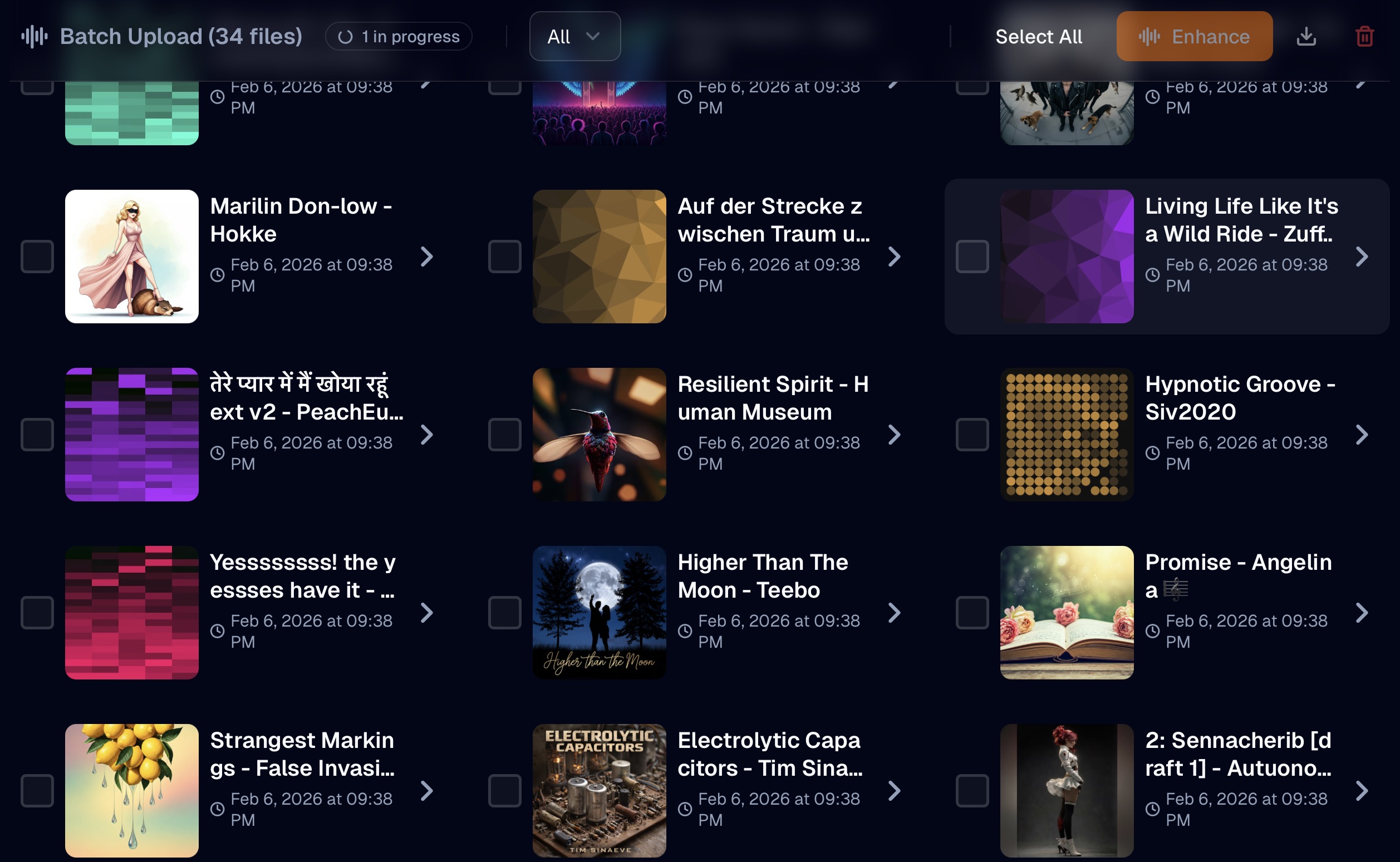
Download them one by one, or use paid-plan batch export to get selected tracks at once.
Don't settle for "fake WAV"! Downloading a WAV does not mean you're getting the original source signal, but maybe just an upsampled mp3 with artifacts and missing frequencies. Leverage powerful GPU-accelerated models to restore the audio, rebuild missing spectral content, and remove artifacts.
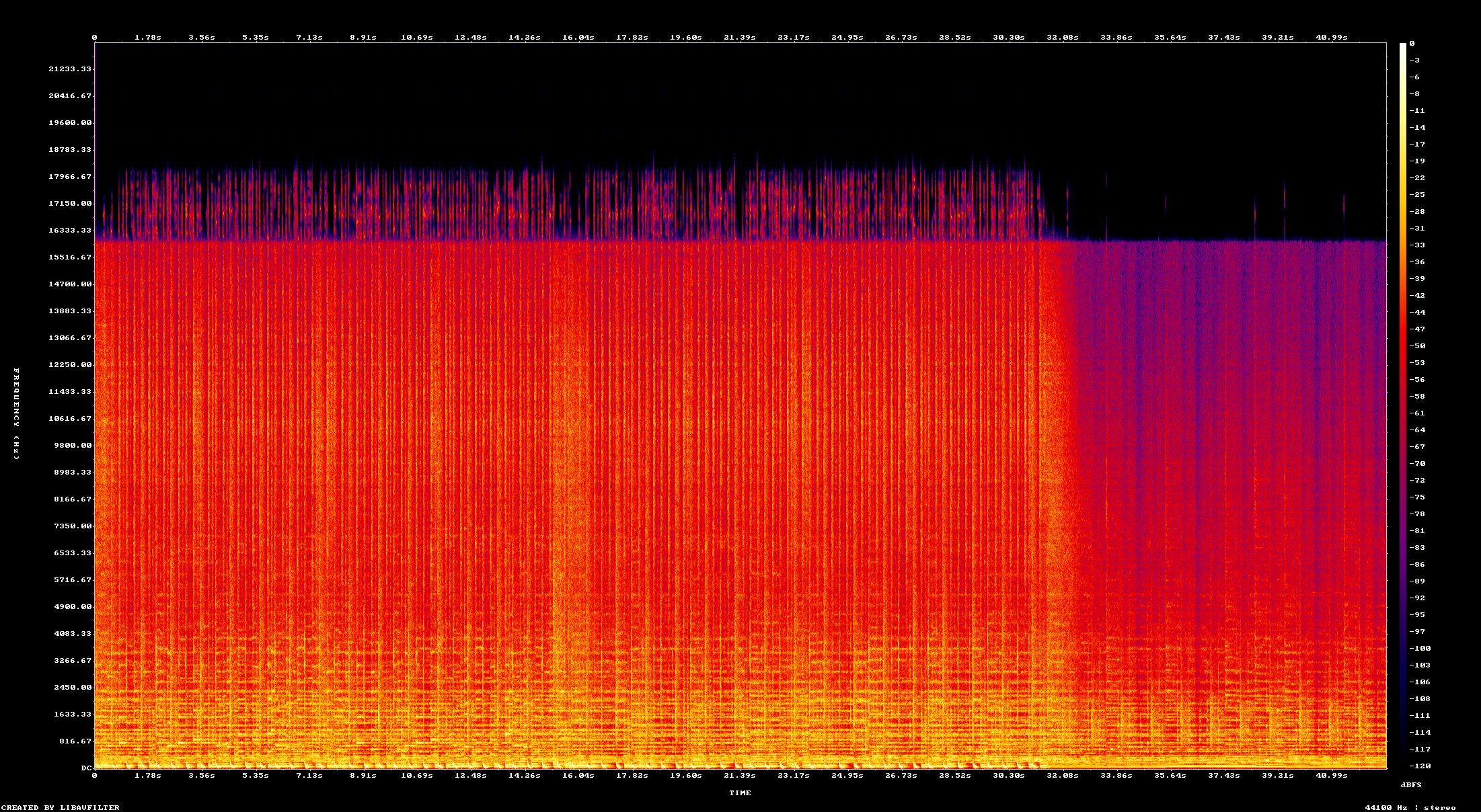
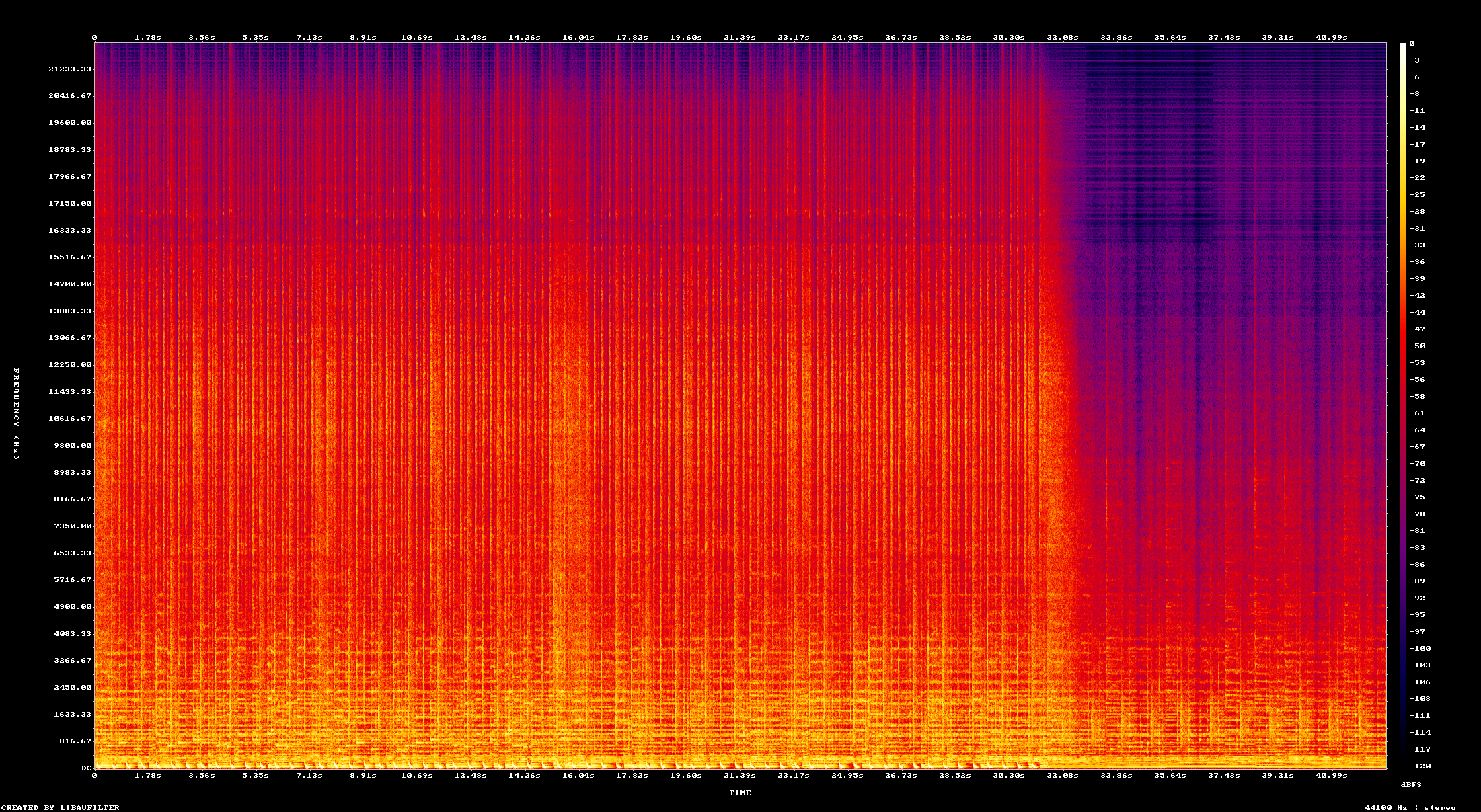
Compare the original spectrogram with the restored high-frequency detail.


R.
Audio restoration and stem separation
It can bring back clarity without making everything sound too artificial or overprocessed. Stem separation is also surprisingly clean.
N.
MP3 and CD audio restoration
Does amazing job in restoring Audio from bad quality MP3s and badly extracted audio from CDs. Always my go to for audio restoration.
Amazing tool for audio. Clean, simple, and effective. I would spend hours in RX to get the same results. Give it a try. I can save you hours of production time.
M.
Restoration and mastering
The flash upscaler mixed with the composite mix system makes it super easy to get closer to a song master that I'm happy with
I've been loving the app. The audio restoration works amazing on my suno songs
IMDK
I love the interface. I love the bulk upload/download features. They're a life saver! Also I just realized that Apollo is magic and I don't even need to use denoise. Apollo somehow removes noise much more naturally. So I'm actually spending way less credits than I expected.
Eve St. Jude
Production workflow
Neural Analog has been a godsend to me and my workflow, such a game changer. I'm more thankful than words can express, I don't know what I would have done without it.
Eve
amazing!!!! love this! THANK YOU! I just discovered batch dl, this feature SAVED ME
Wow thank you so much i upscale videos and take out live recordings from music because of my autism i hate the crowd
R.
Audio restoration and stem separation
It can bring back clarity without making everything sound too artificial or overprocessed. Stem separation is also surprisingly clean.
N.
MP3 and CD audio restoration
Does amazing job in restoring Audio from bad quality MP3s and badly extracted audio from CDs. Always my go to for audio restoration.
Amazing tool for audio. Clean, simple, and effective. I would spend hours in RX to get the same results. Give it a try. I can save you hours of production time.
M.
Restoration and mastering
The flash upscaler mixed with the composite mix system makes it super easy to get closer to a song master that I'm happy with
I've been loving the app. The audio restoration works amazing on my suno songs
IMDK
I love the interface. I love the bulk upload/download features. They're a life saver! Also I just realized that Apollo is magic and I don't even need to use denoise. Apollo somehow removes noise much more naturally. So I'm actually spending way less credits than I expected.
Eve St. Jude
Production workflow
Neural Analog has been a godsend to me and my workflow, such a game changer. I'm more thankful than words can express, I don't know what I would have done without it.
Eve
amazing!!!! love this! THANK YOU! I just discovered batch dl, this feature SAVED ME
Wow thank you so much i upscale videos and take out live recordings from music because of my autism i hate the crowd
It worked! Well done :) Many thanks :))))
Bjark
Easy to use and high quality results.


AI audio enhanced with Neural Analog
Paste the song or hook link into the Suno Downloader, click Import, then download the MP3. Cover art, lyrics, song title, and artist name are included in the file metadata.
Import a Suno playlist or creator profile, then batch export the tracks on a paid plan.
Paste the public playlist or creator profile link into the Suno Downloader. Neural Analog imports the available public tracks into Studio. You can download individual tracks for free, or package selected tracks with batch export on a paid plan.
A creator profile imports its available public songs. Private, deleted, or unavailable tracks are not included, so check the imported list before treating it as a complete library backup.
Suno MP3 downloads include cover art, lyrics, song titles, and artist names when available.
Paste a public song or hook link into the Suno Downloader, then download its MP3 from Studio.
The artwork and lyrics travel with your downloaded song. Use a music player that supports embedded lyrics to read the saved text. This is lyric text, not synchronized karaoke timings, and only metadata available from Suno can be included.
Yes.
To download a Suno song as WAV, import its public link with the Suno Downloader, run Audio Restoration in Studio, then export the restored result as WAV.
Don't settle for “fake WAV”! Downloading a WAV does not mean you're getting the original source signal, but maybe just an upsampled mp3 with artifacts and missing frequencies. Leverage powerful GPU-accelerated models to restore the audio, rebuild missing spectral content, and remove artifacts.
To rebuild missing spectral content and reduce MP3 and other compression artifacts, run Audio Restoration before exporting WAV. Dedicated GPU-accelerated restoration models reconstruct missing detail instead of just changing the file format. Audio Restoration uses your processing allowance; compare Neural Analog plans, or follow the audio export guide.
The link may be invalid, the audio unavailable, or a download limit reached.
Suno changed its download allowances on September 3, 2026. Use the Suno Downloader to download beyond limits.
If the public link fails to import to Neural Analog:
If it still fails, share the public song link and the error message with Neural Analog support on Discord.
Ditch the feed and start building your local high-fidelity library today.


