
I've been loving the app. The audio restoration works amazing on my suno songs
AI Audio Upscaler
Audio Enhancer & MP3 to WAV Restoration.
Enhance low-quality MP3s, AI-generated songs, voice recordings, and damaged audio online. Rebuild missing frequencies, remove MP3 artifacts, and restore bandwidth with GPU-powered MP3 to WAV restoration.
SELECT PIPELINE
Or
Upload audio files
Drag & drop or click to browse (multiple files supported)
Supports: MP3, MPEG, MP2, MPGA, WAV, WAV, AIFF, AIF, AIFF, AIF, FLAC, AAC, OGG, OPUS, M4A, MP4, WEBM, WMA, ALAC, AMRMax size: 50MB.
How AI Audio Upscaling Works
Import MP3 or Link
Upload audio files or import links from Suno, Udio, FlowMusic, TopMediaAI, Mureka, Sonauto, or YouTube.
Enhance and Restore
To enhance audio and restore MP3 detail, click the "Restore Audio" button. Our models running on GPU predict missing content.
Download WAV
Export a cleaner WAV with restored high-frequency content for editing, mastering, or release prep.
Restore missing high frequencies
Low sample rate musics, such as old recordings or AI generated tracks, miss high frequencies. This example uses AudioSR with a 4kHz cutoff in mono.
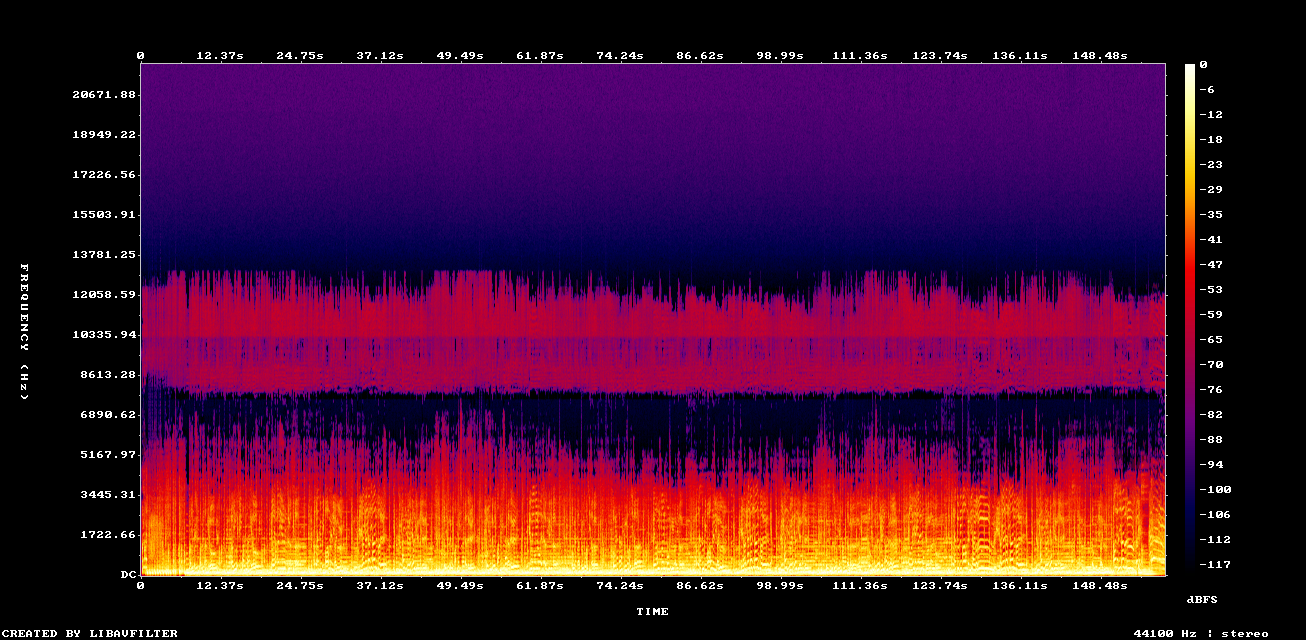

Example: AudioSR restoration (4kHz cutoff, mono)
Remove clipping from poor recordings
Clipping happens when audio is too loud to be encoded. Use Neural Analog to remove clipping artifacts while maintaining high volume.
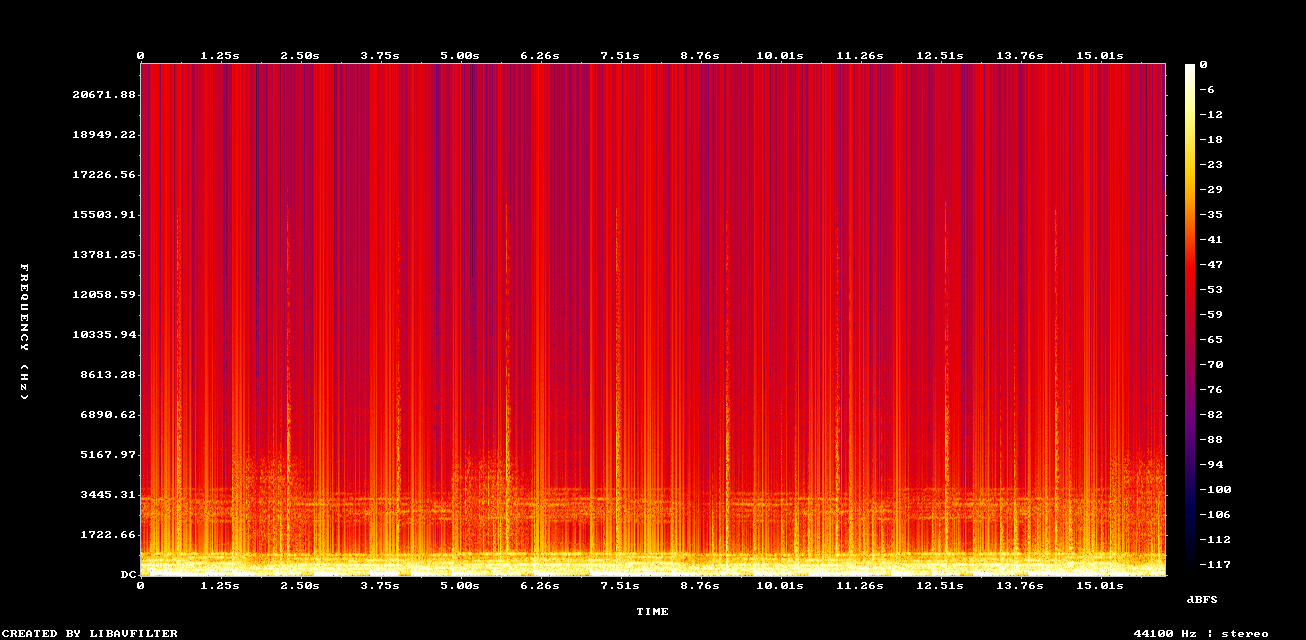
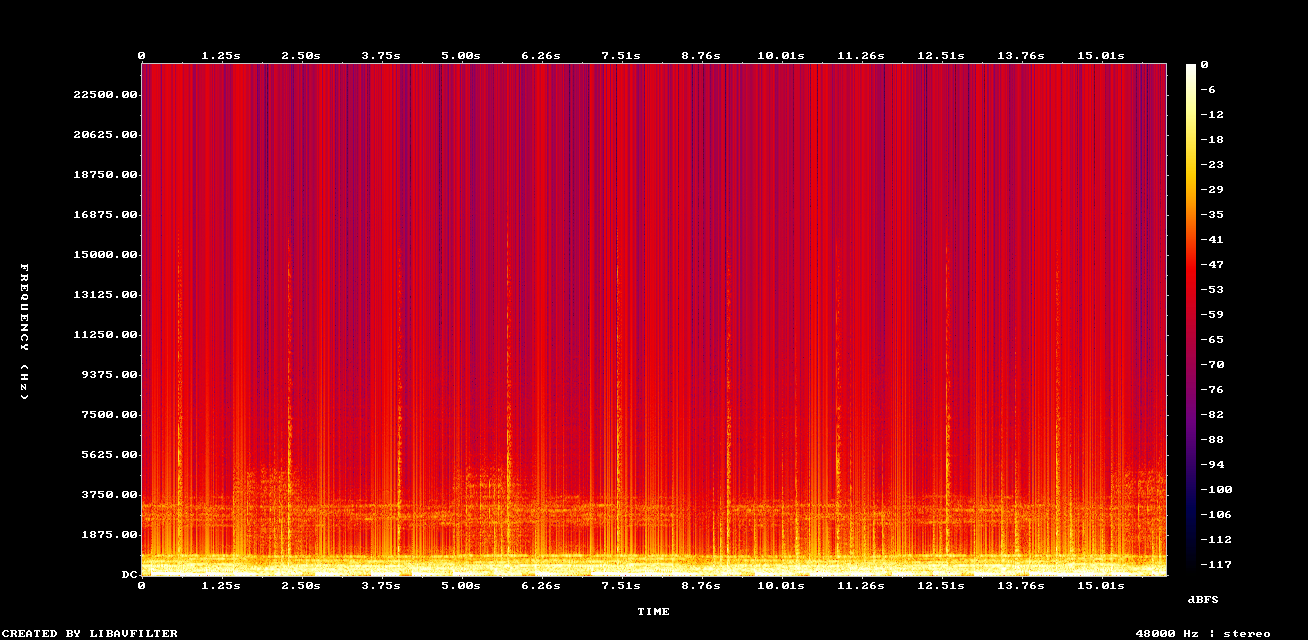
Example: Remove Clipping + DACVAE upscaling on old mp3 file
Upscale English speech and improve audio quality
Use Neural Analog to upscale voice tracks, singing, and speech thanks to the NovaSR model.
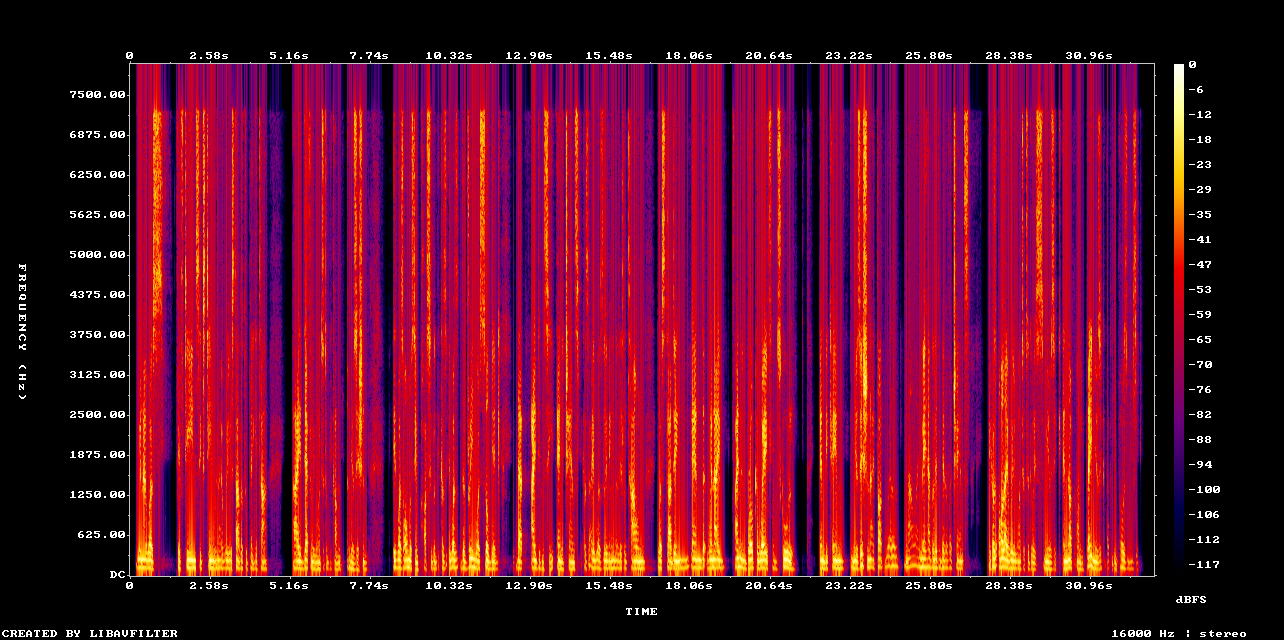
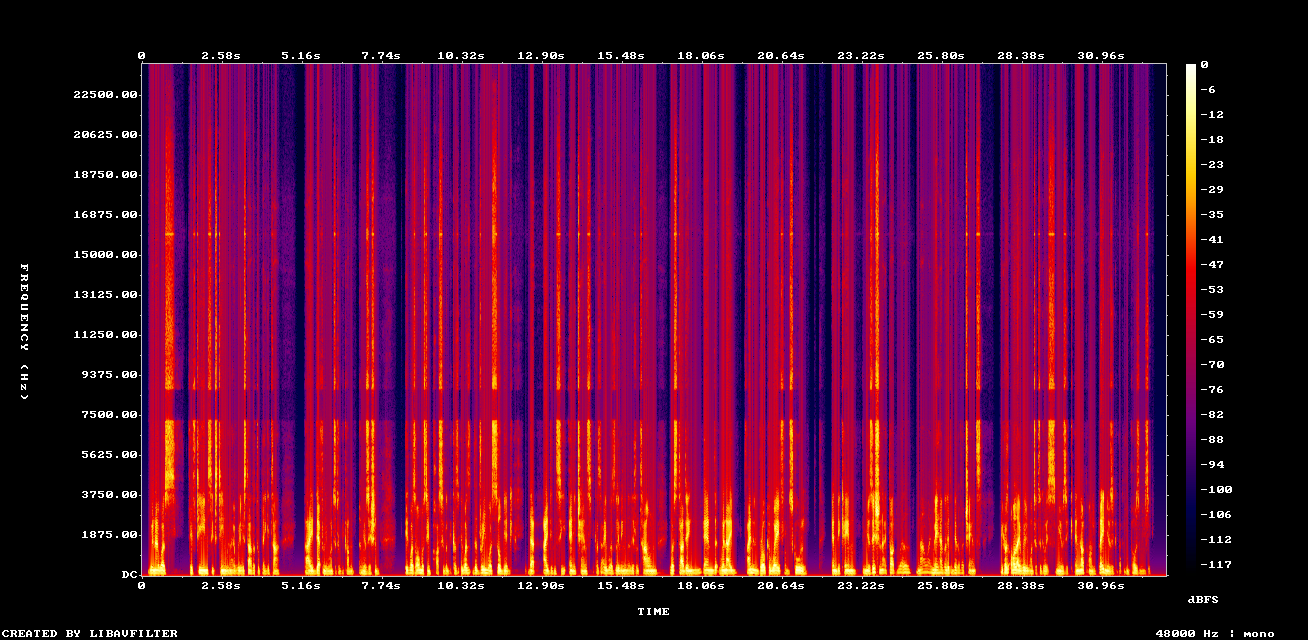
Example: Upscaled speech with NovaSR (mono)
Trusted by 15,000+ music lovers

Neural Analog makes me feel like a monkey with an AK-47, in the best way possible

It worked! Well done :) Many thanks :))))

Wow thank you so much i upscale videos and take out live recordings from music because of my autism i hate the crowd

Amazing tool for audio. Clean, simple, and effective. I would spend hours in RX to get the same results. Give it a try. I can save you hours of production time.
H
Hasina
4 out of 5 stars
Useful app besides AudioSR that needs improvement for AI vocals high frequencies restoration. It sometimes adds a straight line at 10kHz or reduces the 5-10kHz volume. I only got the right correction on my 5th restoration of the same vocal.
TG
The Grim Tower
5 out of 5 stars
Love it! Makes everything crisp!
SH
Shrunken Head
5 out of 5 stars
IT'S GREAT
F
Francisco
5 out of 5 stars
Sensacional
TS
Tommi, Studionet
5 out of 5 stars
Highend services!
Listen to tracks made by our users


AI audio enhanced with Neural Analog
How GPU-Powered Audio Enhancement Removes Artifacts
GPU-Accelerated Inference
Our heavyweight models run on high-end GPUs to predict missing audio data in seconds. It recognizes AI generation patterns.
Harmonic Reconstruction
Missing frequencies above 16kHz are rebuilt using learned harmonic relationships. The upscaled MP3 regains natural overtones.
Artifact Removal
Compression artifacts (digital chirps, warbles) are identified and removed while preserving musical transients.
Frequently Asked Questions
Can I upscale MP3 samples before using them in my track?
Yes. If the source is MP3 or otherwise degraded, upscale or restore the sample before time-stretching, pitch-shifting, saturation, or heavy effects. That reduces artifact amplification later in production.
Open full answerStart with MP3 to WAV upscaling, then download the restored file from Studio for use in your DAW.
What's the difference between upscaling and mastering AI tracks?
Upscaling and mastering do different jobs. Upscaling reconstructs missing data and reduces MP3 artifacts, while mastering applies EQ, compression, and loudness optimization.
Open full answerAlways upscale MP3 files first, then master the restored WAV for professional release.
Once your audio is restored, the Automatic Mastering tool can polish it for professional release, with intelligent loudness optimization tailored to your track.
Will upscaling add noise or just remove MP3 artifacts?
Neural MP3 upscaling reconstructs coherent signal, not random noise. It can reduce compression artifacts while rebuilding harmonic content above the damaged bandwidth of the source.
Open full answerStart with MP3 to WAV upscaling for general music cleanup, or use Audio Restoration to compare multiple restoration models.
Is MP3 upscaling free for producers?
You can test MP3 upscaling on short samples for free. Full tracks and stems use processing minutes because the models run on GPUs. Subscribers get included weekly processing minutes, and you can also buy extra processing minutes.
Open full answerTry the MP3 to WAV upscaler, then check plan limits before running large batches.
Why do AI generators output 16kHz MP3s with artifacts?
Many AI-generated tracks sound capped or artifacted because training data and platform exports often include lossy compression. The model can learn bandwidth limits, swirly highs, brittle cymbals, and other MP3 artifacts.
Open full answerUse MP3 to WAV upscaling or Audio Restoration to reduce artifacts and rebuild missing high-frequency detail before mastering.
Will MP3 upscaling fix stems that sound muffled?
It can help when the stem sounds muffled because it lost high-frequency detail during compression or separation. Run restoration on the stem before heavy effects, pitch shifting, or layering.
Open full answerIf the problem is low-end muddiness, masking, or a bad stem balance, use EQ, volume, or another stem split in Studio instead of expecting upscaling to fix the mix.
Does it work for old codecs like WMA or low bit-depth 8-bit audio?
Yes, restoration can work on old codecs and low bit-depth audio after the file is decoded into an audio signal. Results depend on how much usable information remains in the source.
Open full answerTry a short sample with Audio Restoration. For retro game and sound-effect material, see the UniverSR sound effects guide.
Do you support 48 kHz upsampling?
Yes. Support depends on the model. UniverSR, AudioSR, and FlashSR upscale low resolution audio to 48 kHz (super resolution). The 'Music Upscaler' restoration algorithm keeps 48 kHz sources at 48 kHz, and restores 44.1 kHz-or-lower sources at 44.1 kHz.
Open full answerFor the model-level details, read the UniverSR sample-rate guide or compare models in the restoration docs.
Can I run restoration multiple times for better results?
Yes, you can run restoration more than once. You can change the selected Source to run another pass on already restored audio, and batch imports support an 'Iterative restoration' toggle that selects the latest restored version of each file.
Open full answerDo this in Studio by selecting the restored version as the source before running another restoration. Stop when the result improves less than the artifacts it introduces.
Don't let MP3 artifacts limit your production.
Use the AI audio upscaler to restore MP3 quality, rebuild missing frequencies, and export a cleaner WAV.