
I've been loving the app. The audio restoration works amazing on my suno songs
Download Neural Analog VST (alpha)
GPU-powered audio upscaling, stem splitting, and online imports for your DAW. Currently in alpha.
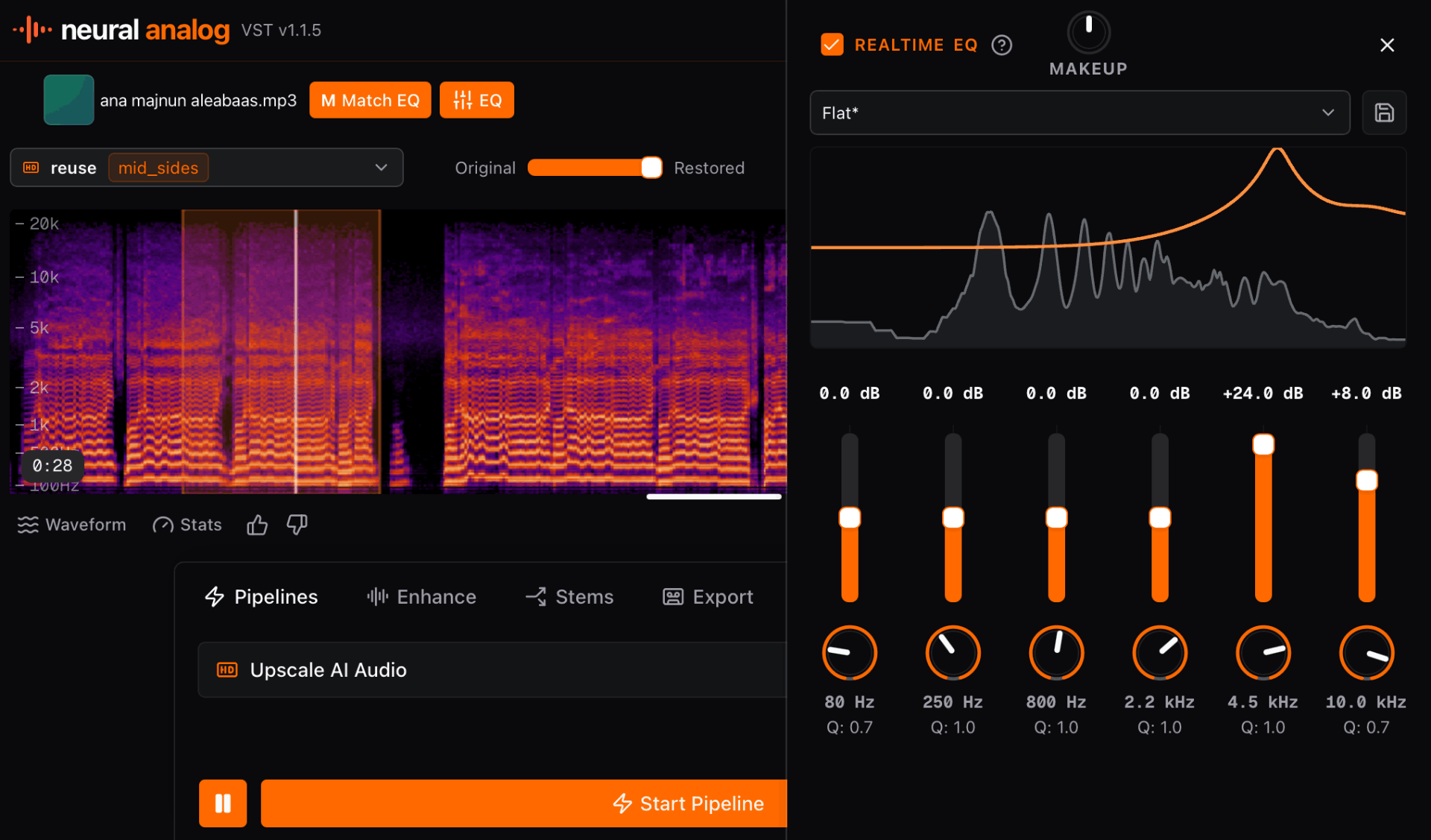
Download Neural Analog Plugin
Install Neural Analog for your DAW and start processing audio locally from the plugin.
More Downloads (v1.2.0)
What is Neural Analog?
Turn your music into streaming-ready WAV in one click. Import tracks in bulk, improve audio quality, split stems, and auto-master to commercial loudness.

Neural Analog is a sound design platform that transforms how producers sample, shape, and finish audio. It brings advanced GPU-powered stem splitting, audio upscaling, and Match EQ directly into your DAW. Use it to turn artifact-heavy AI generations, low-quality internet rips, or voice memos into workable material for your productions.
Neural Analog pushes the limits of audio processing so you can focus entirely on the creative process. Available for Windows, macOS, and Linux.
Key Features
- Seamless DAW Pipeline: Available as VST3 and AU plug-ins. Keep your momentum intact without context switching.
- Audio Upscaling: Turn unusable, low-fidelity audio into high-quality production material. Upscale muffled voice notes or heavily compressed MP3s into pristine, studio-ready stems using advanced models like UniverSR and AudioSR. Remove hiss from AI music generations before mastering.
- Direct Link Importing: Streamline your sampling and remixing pipeline by importing audio directly from URLs. Process, clean, and split tracks instantly without ever leaving your project.
- Next-Generation Sampling: Isolate specific instruments, vocals, or sound effects from any mix. Discover prompt-based SAM Audio separation for audio isolation and go beyond basic instrument separation.
- Match EQ & Mastering: Capture the sonic footprint and loudness of reference commercial tracks. Click, click, boom. Mastered & Released.
Neural Analog bridges the gap between raw inspiration and final release, giving producers an entirely new way to interact with sound. Stop letting poor audio quality dictate your creative choices. Improve your audio quality and level up your productions, the easy way.
Trusted by 70,000+ music lovers

Neural Analog makes me feel like a monkey with an AK-47, in the best way possible

It worked! Well done :) Many thanks :))))

Wow thank you so much i upscale videos and take out live recordings from music because of my autism i hate the crowd

Amazing tool for audio. Clean, simple, and effective. I would spend hours in RX to get the same results. Give it a try. I can save you hours of production time.
I
IMDK
4 out of 5 stars
I love the interface. I love the bulk upload/download features. They're a life saver! Also I just realized that Apollo is magic and I don't even need to use denoise. Apollo somehow removes noise much more naturally. So I'm actually spending way less credits than I expected.
TG
The Grim Tower
5 out of 5 stars
Love it! Makes everything crisp!
SH
Shrunken Head
5 out of 5 stars
IT'S GREAT
F
Francisco
5 out of 5 stars
Sensacional
TS
Tommi, Studionet
5 out of 5 stars
Highend services!
B
Bjark
5 out of 5 stars
Easy to use and high quality results.
E
Eve
5 out of 5 stars
amazing!!!! love this! THANK YOU! I just discovered batch dl, this feature SAVED ME
I've been loving the app. The audio restoration works amazing on my suno songs
Neural Analog makes me feel like a monkey with an AK-47, in the best way possible
It worked! Well done :) Many thanks :))))
Wow thank you so much i upscale videos and take out live recordings from music because of my autism i hate the crowd
Amazing tool for audio. Clean, simple, and effective. I would spend hours in RX to get the same results. Give it a try. I can save you hours of production time.
I
IMDK
4 out of 5 stars
I love the interface. I love the bulk upload/download features. They're a life saver! Also I just realized that Apollo is magic and I don't even need to use denoise. Apollo somehow removes noise much more naturally. So I'm actually spending way less credits than I expected.
TG
The Grim Tower
5 out of 5 stars
Love it! Makes everything crisp!
SH
Shrunken Head
5 out of 5 stars
IT'S GREAT
F
Francisco
5 out of 5 stars
Sensacional
TS
Tommi, Studionet
5 out of 5 stars
Highend services!
B
Bjark
5 out of 5 stars
Easy to use and high quality results.
E
Eve
5 out of 5 stars
amazing!!!! love this! THANK YOU! I just discovered batch dl, this feature SAVED ME
Listen to tracks made by our users


AI audio enhanced with Neural Analog
Examples generated by users
These generations were shared by Neural Analog users
Bring Neural Analog into your DAW.
Download the plugin, install it once, and keep audio restoration, stem splitting, Match EQ, and mastering inside your production pipeline.