Neural Analog guide
Core taskExport a Dolby Atmos ADM BW64 file
Run the dedicated Atmos pipeline to create and prepare the spatial stems, then export the result as an ADM BW64 file.
What an Atmos conversion creates
Stereo places the finished song between left and right speakers. Atmos conversion separates that stereo mix into musical elements, then gives those elements spatial positions so the result can have width, depth, and height instead of being only a widened stereo file.
Neural Analog exports the result as ADM BW64, an interchange master that stores the audio together with the metadata an Atmos renderer needs to reconstruct the spatial mix.
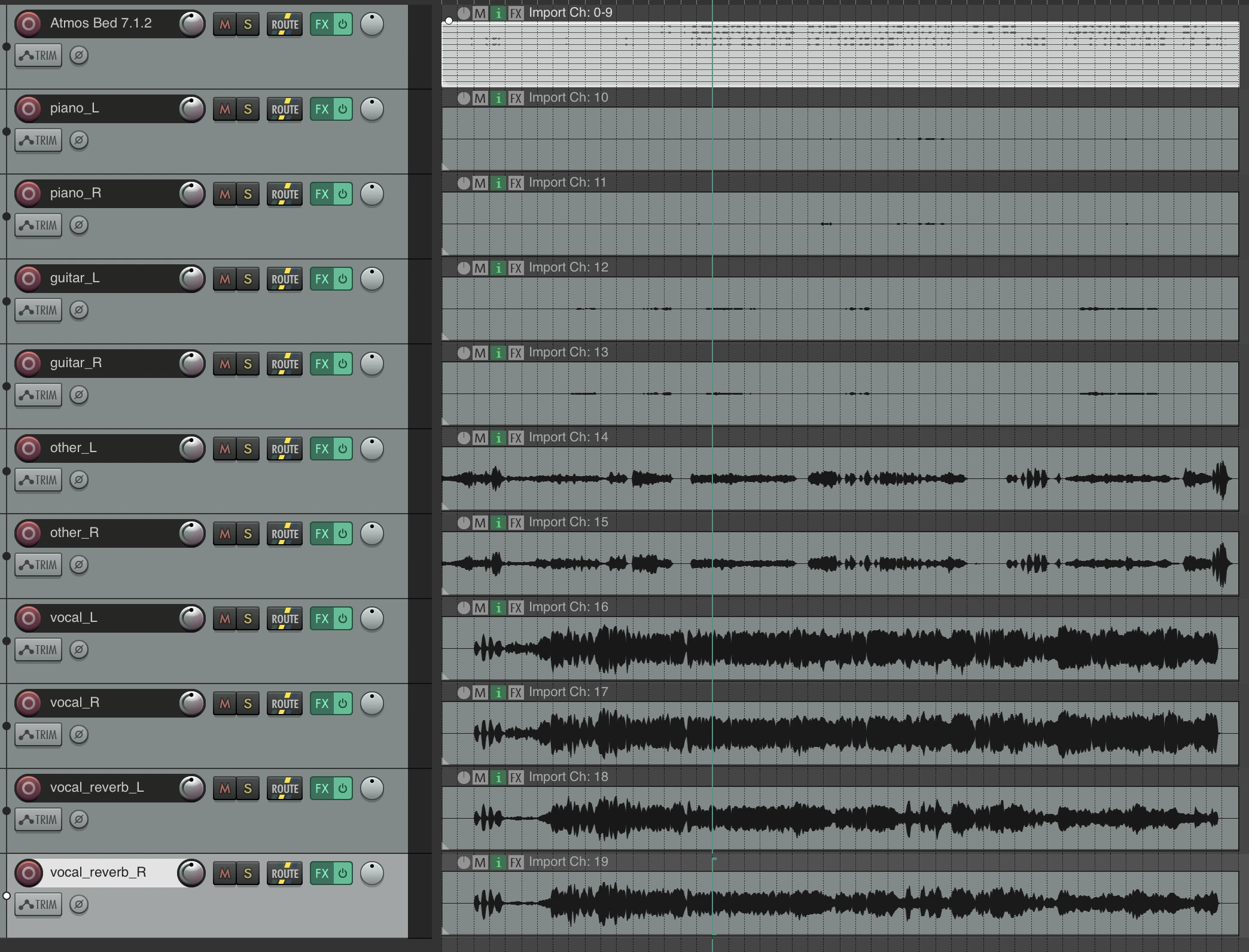
This demo follows a stereo song through preparation and export as an Atmos-ready ADM BW64 file.

Run the Atmos preparation pipeline
- Open Pipelines.
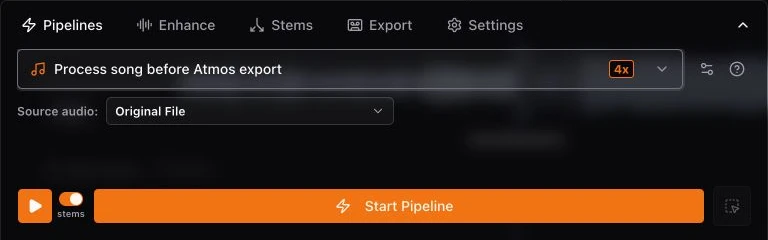
- Select Process song before Atmos export.
- Check the cost multiplier badge on the selected option, if one appears, then choose Start Pipeline.
- Wait for the live status to finish. The pipeline splits instruments, dereverbs vocals, separates drums, and prepares the spatial stem routing.
Render Atmos in Studio
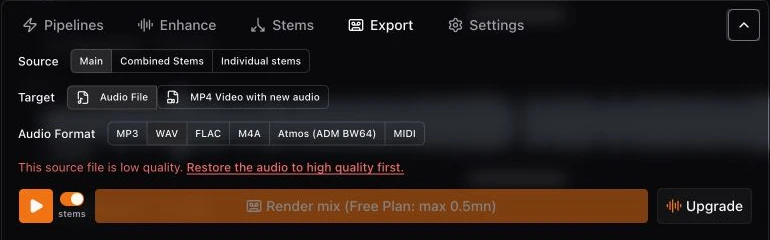
- Open Export.
- Set Source to Combined Stems.
- If a Target option appears, set it to Audio File.
- Choose Atmos (ADM BW64), then start the render.
Open or deliver the ADM BW64 master
Import the file into an Atmos-capable authoring setup, such as REAPER with the EBU EAR Production Suite, to inspect the separated elements, adjust their placement, and print a revised ADM BW64 master. For release, deliver the ADM BW64 through a distributor that accepts Dolby Atmos masters, such as DistroKid or TuneCore. Supported stores depend on the distributor and can include Apple Music, Amazon Music, and TIDAL. Check the distributor's current file and release requirements before uploading.
ADM BW64 is an authoring and delivery file, not a normal stereo listening file. Export a separate WAV or FLAC when you also need a conventional stereo master.
Read the full Dolby Atmos conversion guide for preparation details.