Neural Analog guide
HelpFix import and processing problems
Studio updates import and processing states live. Start with the affected item's status and error instead of restarting the whole batch.
Import problems
| What you see | What to do |
|---|---|
| Uploading or Importing | Wait for the live status. Do not submit the same file or link again while it is active. |
| Failed local file | Open the item's error, correct the named file or connection problem, then retry only that file. |
| Unsupported or failed link | Paste the full public song, playlist, or creator-page URL and check the supported-imports list to see which platforms are supported. |
Processing problems
| What you see | What to do |
|---|---|
| Running | Wait. Status updates are live; do not refresh or start a duplicate job. |
| Failed | Read the detailed error, correct the named source or setting, then retry that job. Failed jobs do not consume processing minutes. |
| Estimate or usage is unexpected | Check the cost multiplier badge on the selected model and the selected duration, then compare them with Settings → Usage. |
The job completed but the result is not what you expected
Select the completed version and use its Before / After slider. Some changes, especially in the high frequencies, are hard to hear, and hearing range varies from person to person. Check yours with the online hearing test. Click Spectrogram below the player to replace the waveform with a frequency-over-time view, then move Before / After to see what changed. In a spectrogram, time runs left to right, frequency rises from bottom to top, and brighter colors mean stronger sound.
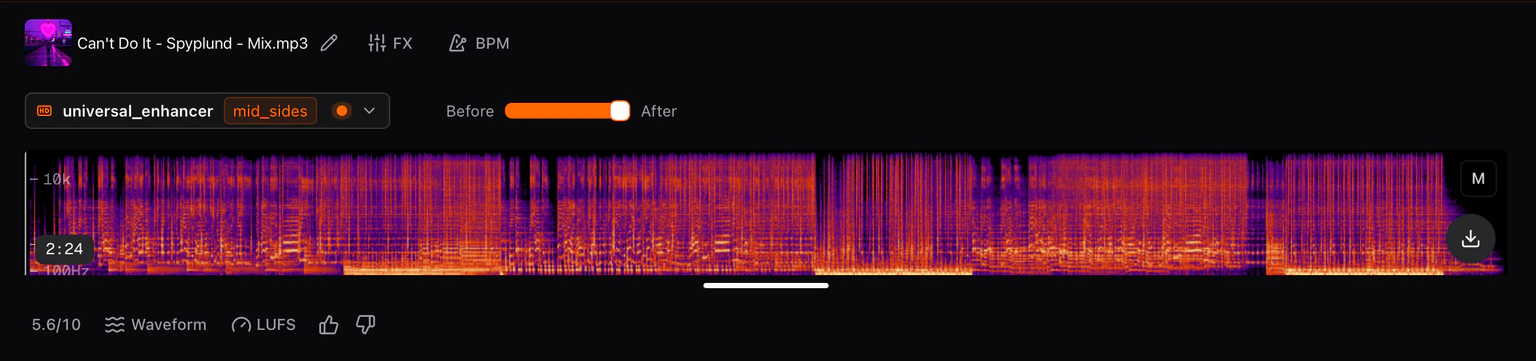
If the job used the wrong input, open the same Process-panel tab, choose the intended item under Input, and run it again. The imported file remains the default source until you deliberately choose another version, stem, or current mix.